Claude Code PowerPoint: Build Editable Presentations with Decktype
A practical workflow for turning a brief into an editable presentation with Claude Code or Codex, reviewing every slide, and exporting to PowerPoint.
Claude Code can write documents and generate files, but a useful presentation needs more than a valid package. The story has to lead to a decision, every slide has to remain editable, and the result still needs a human review before it reaches an audience.
Decktype gives Claude Code and Codex a structured presentation workflow. The agent writes an editable .deck file through the local deck CLI. You open that file in the native editor, adjust the wording or layout, and can ask the agent to revise it again without treating your manual work as disposable. When the deck is approved, you can export a PowerPoint delivery file.
This tutorial sets up that workflow from start to finish. For the short version, the Codex steps and a sourced comparison with other presentation tools, read Make presentations with Claude Code or Codex.
Current availability: Decktype is a native macOS application for Apple silicon. The
.deckfile is the editable source. PowerPoint export is available with the Pro plan; PDF and PNG export are available in the free plan.
What you will build
By the end, Claude Code or Codex will be able to:
- turn a written brief into a proposed slide outline;
- build slides from structured Decktype templates;
- validate and render the presentation locally;
- inspect every slide before delivery;
- preserve later human edits when revising template content;
- export an approved
.deckto.pptxwhen your plan includes PowerPoint export.
The public plugin contains no bundled executable, background service, hook, or model credential. It teaches the agent how to use the deck CLI installed through Decktype.
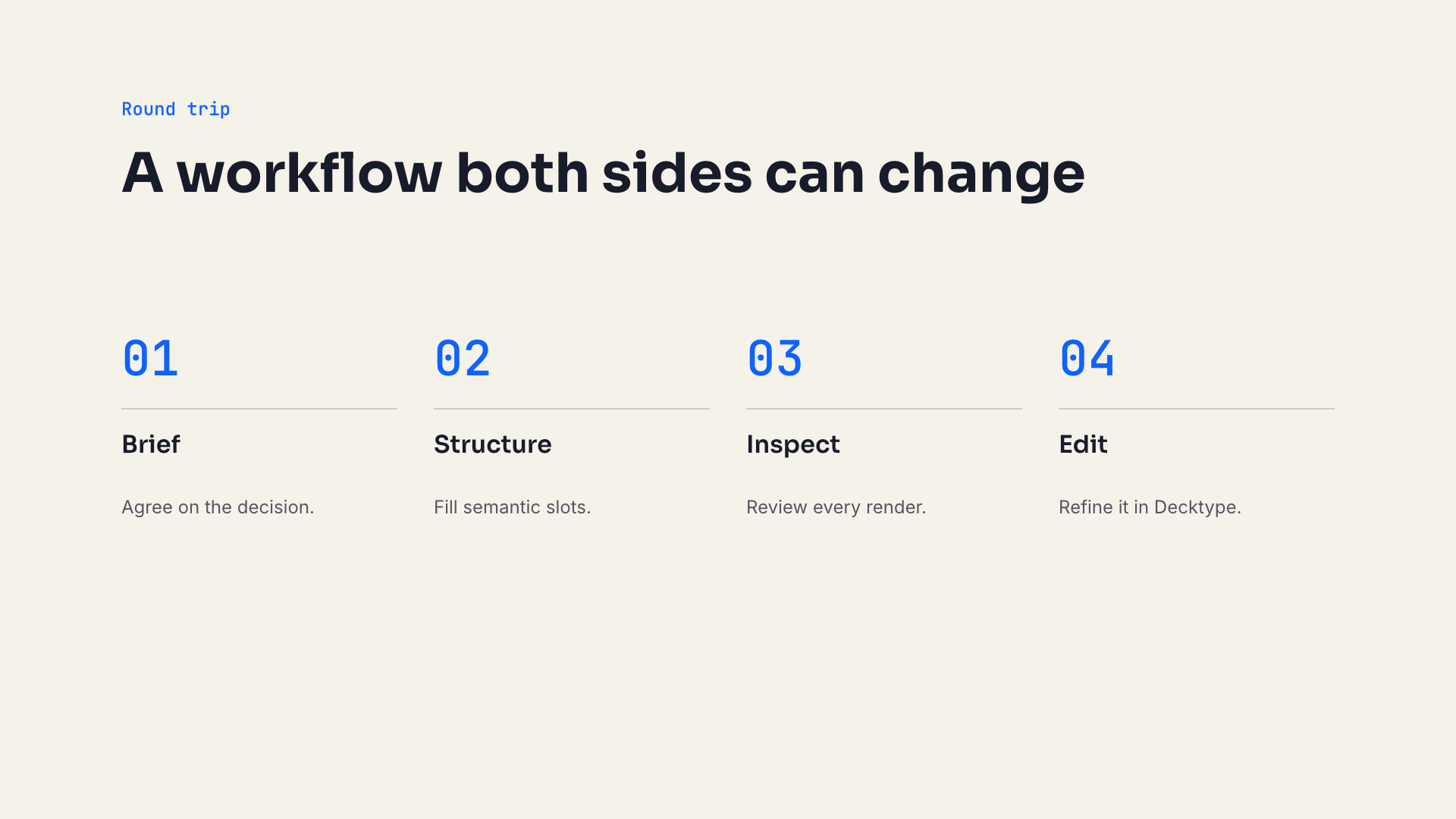
The process template remains editable because its steps are stored as semantic slots.
1. Install Decktype and connect your agent
First, download Decktype for macOS and open it. In the application menu, choose Connect an agent. Decktype will guide you through authorizing Claude Code or Codex and making the local CLI available.
If you need the screenshots for that flow, follow the agent connection guide.
The CLI is installed in ~/Library/Application Support/Decktype/bin/, which is not on the shell PATH by default. Open a new terminal session, add that directory to the PATH for this session, then check the CLI:
export PATH="$HOME/Library/Application Support/Decktype/bin:$PATH"
command -v deck
deck --version
If the first command returns nothing, return to Decktype and run Connect an agent again. The plugin should not guess a binary location or install an executable silently.
2. Install the public Decktype plugin
The same presentation skill is published for Claude Code and Codex in the public decktype-agent repository.
Claude Code
Add the marketplace, then install Decktype:
claude plugin marketplace add Tontoon7/decktype-agent
claude plugin install decktype@decktype-agent
Start a new Claude Code session. If the installer tells you the plugin needs reloading, run /reload-plugins inside Claude Code.
Codex
Use the equivalent Codex marketplace commands:
codex plugin marketplace add Tontoon7/decktype-agent
codex plugin add decktype@decktype-agent
Then start a new Codex session. The skill is selected automatically when your request asks for a .deck, an editable Decktype presentation, or a PowerPoint workflow that should use Decktype as its source.
3. Give the agent a decision, not only a topic
“Make a presentation about our product” leaves the most important work undefined. A stronger brief names the audience, the decision, the allowed sources, and the expected delivery format.
Copy this prompt and replace the bracketed details:
Create an editable 7-slide Decktype presentation.

Audience: [who will see it]
Decision: [the one approval or action the deck should produce]
Source material: [files or links the agent may use]
Constraints: [tone, duration, mandatory facts, forbidden claims]
Delivery: keep the .deck as the source and export a .pptx after approval.

First propose one message and one Decktype template per slide.
Do not generate the file until I approve that outline.
Do not invent metrics, quotations, customers, or sources.
After generation, validate, lint, render, and inspect every slide.
This prompt separates two decisions that are often collapsed together: what the deck says, then how the slides are built. Approving the outline first makes it cheaper to change the argument before the agent has generated and reviewed the file.
4. Let the agent use structured templates
The plugin instructs the agent to query the templates installed with your version of Decktype:
deck templates list --json
deck templates show standard/process --json
Each template declares typed slots and content bounds. A process slide, for example, expects a title and two to six ordered steps. A card slide expects two to four comparable cards. A KPI slide should be used only when the source material contains defensible numbers.
The agent fills those slots instead of drawing every text box manually. Decktype then materializes the visual elements. The result keeps a semantic layer that can be revised later.
The standard workflow looks like this:
deck new product-review.deck --title "Product review"
deck regenerate product-review.deck
deck validate product-review.deck --json
deck lint product-review.deck
deck render product-review.deck --out product-review-preview
Validation catches structural problems such as a missing required slot or too many items. Linting reports editorial risks. Rendering produces the actual slide images that must still be inspected.

A valid file can still contain weak copy. Rendering makes the editorial review unavoidable.
5. Review the output as a presentation
Ask the agent to show or inspect every PNG in the render directory. The review should check:
- text overflow or clipped lines;
- content that sits too close to an edge;
- empty optional blocks;
- a title that wraps into an awkward shape;
- repeated templates that flatten the rhythm;
- numbers or quotations that cannot be traced to a source;
- a final slide that says “Thank you” but asks for no decision.
When the copy is too dense, change the template slots and regenerate. Do not patch the rendered image. The .deck remains the source.
A strong completion request is:
Inspect every rendered slide at full size.
For each slide, report its message and any visual issue you checked.
If you change a slot, regenerate and inspect the affected slide again.
Deliver only when validation reports zero errors.
6. Edit the deck yourself, then send it back to the agent
Open product-review.deck in Decktype. You can rewrite a sentence, move an element, change its style, or remove something you do not want.
On the next agent revision, the plugin tells Claude Code or Codex to inspect the existing file before editing. For template-bound slides, the agent changes semantic slot values and preserves the manual overrides written by Decktype. It also preserves existing slide and element identifiers.
That boundary matters. The agent owns structured content changes; the editor records your manual refinements. Neither side needs to flatten the other side’s work into a final image.
Try this follow-up:
Revise product-review.deck with the priorities in feedback.md.
Keep my manual layout and style changes.
Change template slot content rather than materialized text elements.
Render and inspect every modified slide before returning the file.
Not every PowerPoint import will immediately have template bindings. Imported slides are usually free slides, so the agent may edit their elements directly or rebuild selected slides with templates when that improves future revisions.
7. Export the approved source to PowerPoint
Keep the .deck as your editable source and generate the .pptx as a delivery artifact:
deck export product-review.deck --out product-review.pptx
Open the exported file in the exact PowerPoint or Keynote version your recipient uses. Check fonts, charts, rotations, and complex positioning. A successful CLI export does not replace that destination review.
If you receive an existing PowerPoint first, import it with:
deck import source.pptx --out imported.deck --json
deck validate imported.deck --json
deck render imported.deck --out imported-preview
Read the importer warnings and inspect the render before revising the presentation.
A public example you can inspect
The plugin repository contains a four-slide .deck built only with the standard template pack, plus each rendered PNG. You can inspect the source and previews on GitHub before installing anything.
The example follows a simple story:
- From prompt to editable presentation.
- The agent builds structure; the human keeps editorial control.
- Brief, structure, inspection, and editing form one round trip.
- The final slide asks the user to open and own the deck.
There are no invented results or customer claims in the example. Its purpose is to demonstrate the file and template workflow.
When this workflow is a good fit
Use Decktype with Claude Code or Codex when:
- you already use a coding agent for research or document work;
- you want the presentation to remain editable after generation;
- you expect several rounds between agent changes and human design changes;
- you need a local structured source before exporting delivery formats;
- you want to inspect the agent instructions and example publicly.
A direct .pptx generator may be simpler when the file is disposable, the layout is already fixed, or nobody will revise it after generation. Decktype adds value when the round trip matters.
FAQ
Does Claude Code create an editable PowerPoint directly?
In this workflow Claude Code creates an editable .deck source. Decktype can export the approved source to .pptx when PowerPoint export is available on your plan. Check the exported file in PowerPoint before delivery.
Does the Decktype plugin include an AI model or API key?
No. The plugin uses the Claude Code or Codex session you already selected. Decktype does not resell model tokens through this plugin.
Can the agent change a deck after I edit it in Decktype?
Yes. Template-bound content and editor overrides are stored separately. The public skill explicitly tells the agent to preserve existing overrides and identifiers during revisions.
Can I use sensitive client material?
The .deck file is local unless you move or publish it, but content you provide to an external agent follows that model provider’s account and data policy. Review the exact provider terms and Decktype security boundary before using confidential or regulated material.
Does it work on Windows?
The current public Decktype application targets Apple silicon Macs. The exported PowerPoint can still be opened on other supported systems.
Start with one real brief
Download Decktype, connect Claude Code or Codex, and use one presentation you already need to produce. Start with the decision and source material, approve the outline, then judge the workflow on the editable file and the rendered slides rather than on the first generated sentence.